FIX THIS: UI4 Cleared alerts do not show the duration of how long those alerts were open for. UI3 DID!!!!
Summary: Daniel Blanco, Daniel Blanco, expressed frustration with the UI4's changes, specifically the absence of the alert duration feature that was present in UI3. This feature allowed users to see how long alerts were open, which was important for their work. Andrew Callaghan, Andrew Callaghan, suggested using a column header workaround to display the alert duration, but Daniel found this solution unsatisfactory as it added clutter to the interface. He emphasized the significance of knowing the duration of broken alerts and urged the UI team to reintroduce this feature before phasing out the UI3 resource view.
FIX THIS: UI4 Cleared alerts do not show the duration of how long those alerts were open for. UI3 DID!!!!
B/c LM is shoving this horrible UI4 change finally on the Resources section now, I'm trying to get used to it but I just noticed a horrible issue.
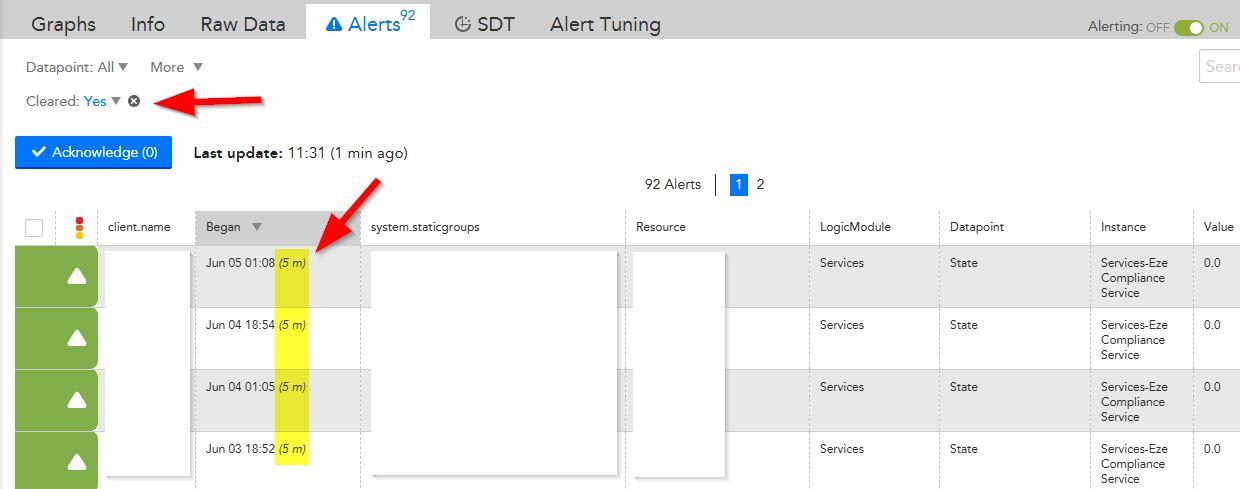
When we look at "Cleared" alerts for a device, on the Alerts tab in UI3 it showed how long those alerts were open for with the duration in (#of h:m:s). This was extremely useful.
Example:
This is what it shows in UI4. This vital info is gone, where is this information?
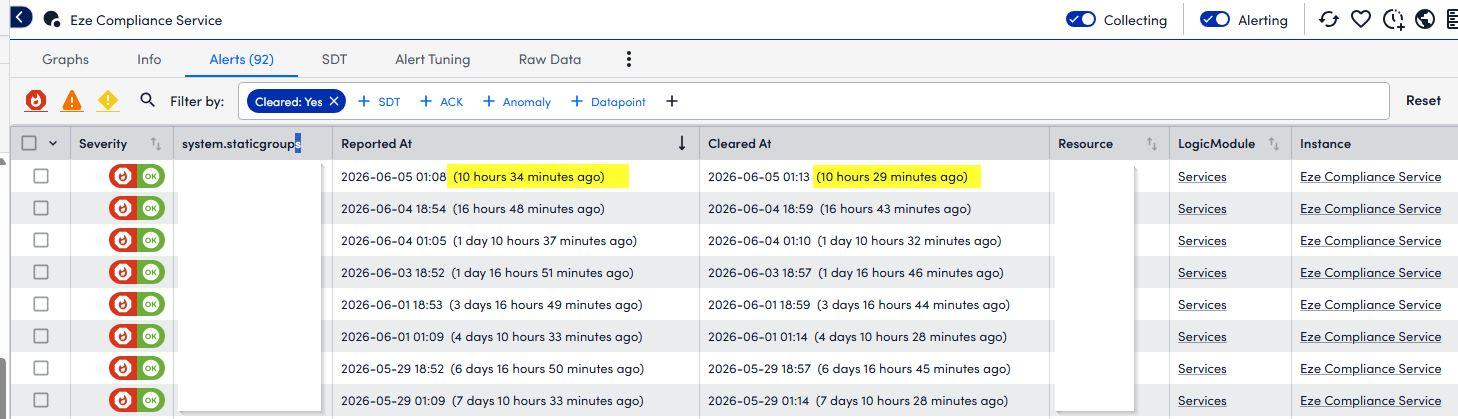
Why is it not showing what it always used to show in UI3 which was the duration of how long that alert was opened for?
I looked thru all the additional column options and its NOT there. Can the UI team please add this now before the UI3 resource view is removed?

Andrew Callaghan
Add ##DURATION## as a column header, actually you can add any alert token this way.
Daniel Blanco
OPHi Andrew, thanks for the temp workaround.
That works but why do I need to add a new column now to the already cramped alert page with the new UI4 taking up more real estate than UI3 did. This info was just displayed in the "Began" column when looking at "Cleared" alerts.
What the UI4 displays is pointless as no one ever asked "how long ago was that" when they see the Began date but the Duration is more important and most commonly asked. People ask "how long was it broken for".
Matthew Airhart
Hi @Daniel Blanco! While I cannot currently comment if this is an intentional or unintentional removal, and what any plans to update the new UI may be, I can however offer a solution!
If you click the icon to manage your
Column Settingswhen viewing anAlertstable, you can add custom columns! One valid column that you can add is##duration##, which will give you exactly what you're after! You can of course always drag to re-order columns as you see fit. I will demonstrate below: