Office 365 Service Status Checking
Hi All,
Thought I would share a couple of new datasources I have written to enhance the Office 365 checks that are currently provided by LM, It appears a lot of people have been asking for Office365 Service Status so I knocked the below together:
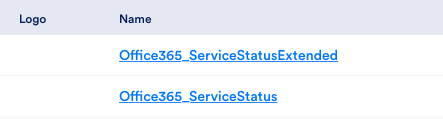
These will use the existing device properties that you have set for Office 365

and will use powershell to get the service information in 2 ways, the first is a simple top level service status so for the below

The next check (Extended) shows the status of the features that make up each of the above services
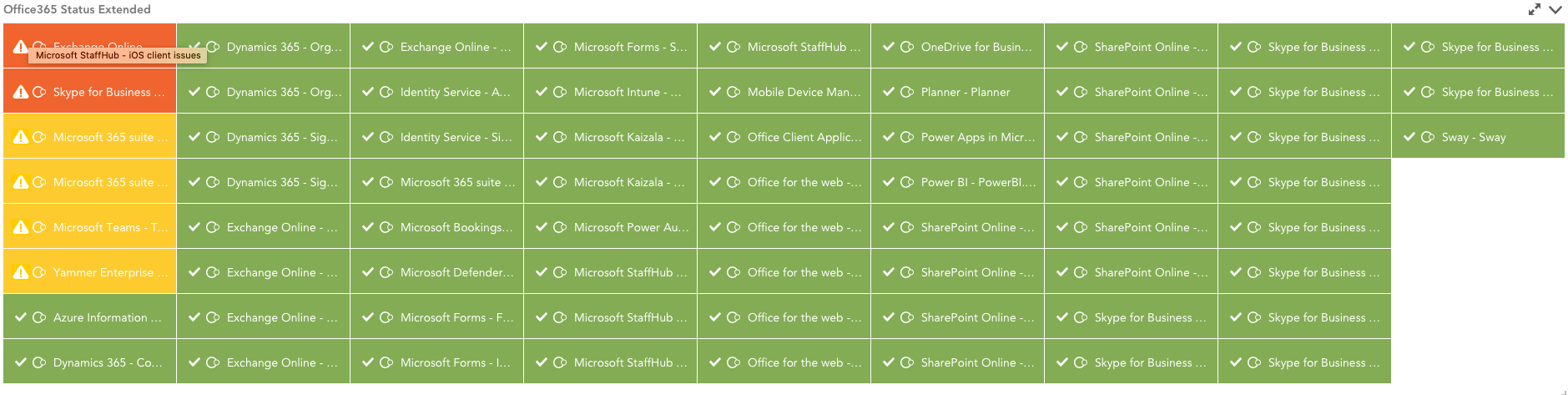
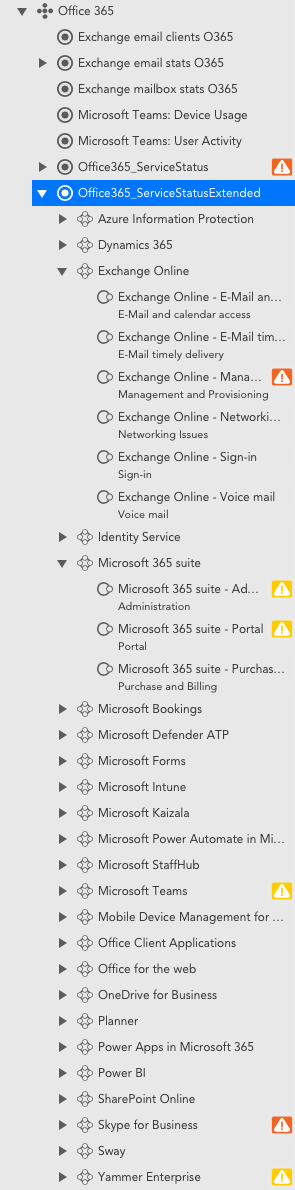
Both of the above use AutoDiscovery to pull in info from any new services Microsoft may add in the future and the Office365_ServiceStatusExtended will also group the Features that are found as below:
Hopefully this will help a few people out as its something that I have wanted for a while
Let me know if you can think of any tweaks that may need to be made and apologies I'm not the neatest of script writers but it definitely does the job!

Michael Rodrigues
These are available with locators CEC349 and MPNE9G
@kmando you work for another company that has LogicMonitor? You can publish updates under that account if you've moved companies. You should still be able to get your old public modules from the Exchange.
kman
OPHi @Geofitch you need to search for them in the LogicMonitor Exchange
As i have moved companies now i don't have access to update the original code, so just trying to get that sorted then i have an update to release for it
@Michael Rodrigues can you help with this?
Cheers
Kyle
Geofitch
Hi KMAN,
I am trying to download these Files you have shared but on this page all I am getting is a option to see the files as an image enlarged
JDV
Many thanks Kyle, I managed to get your datasource working using the above suggested fix :)/emoticons/smile@2x.png 2x" title=":)" width="20" /> Are you able to tell me what the workload name is for Dynamic 365, Microsoft Defender ATP, Microsoft Intune and Office Client Applications. The tenant I'm testing against obviously is not licensed for these services but I would like to capture this for documentation purposes. An example of what I'm after is if the WorkloadDisplayName for Exchange Online is Exchange Online the the Workload is Exchange. I'm looking for the Workload for Dynamic 365, Microsoft Defender ATP, Microsoft Intune and Office Client Applications
In additional have you managed to find a Microsoft document that lists all the available O365 workloads that are available?
Vitor_Santos
Yeah I actually ran with those issue(s) but then noticed that we need to do additional things.
-> [Net.ServicePointManager]::SecurityProtocol = [Net.SecurityProtocolType]::Tls12I've also tweaked the script(s) actual token(s) being used on the code since they don't actually represent LM OutOfBox one(s).
It's working for me :)/emoticons/smile@2x.png 2x" title=":)" width="20" />
Hope it helps you!
JDV
Hi Kyle,
Thanks I found these on exchange and implemented them and have tested if against our O365 lab, when I test the script, get an error - "There would be no instances discovered for the selected device" anything you can think of I may have adapted correctly to our environment. Has anyone else got these working?
Regards,
Justin
kman
OPHi,
This has actually been posted on the exchange already, so you should be able to find it
if you can’t let me know
Kyle
JDV
Nice Work. Please can you publish this on Exchange, would love to take a look and test it on our O365 lab, thanks
kman
OPSo had another thought and I have managed to write a script to pull in the incidents using Powershell
However I have an issue in that the ConvertTo-JSON output returns he below error when setting up the Eventsource
Does anyone know if we can use powershell in the uploaded script and how I can use the ConvetTo-JSON?
Cheers
Kyle
Vitor_Santos
Just a thought, you could extract those properties from API response & map those into the discovered instances (as auto.* props) - example
auto.service
auto.currentstatus
etc...
From there you could map the ones you feel important & if generating an alarm you could invoke those same properties on the alarm custom message itself (it could be useful) - example
Service '##auto.service##' is degraded....
Not sure if it makes sense to you. Just suggesting it because I did it this way a few days ago when creating a DS that reads from the device Event Fault table (I just mapped the important properties at the instance level & invoked those on the alarm message - in case it generates an alarm).
Thanks,
kman
OPAs an example I can get this level of info from Office 365 however I'm not sure the best way to display this in LogicMonitor,
Any recommendations would be much appreciated
Kyle
kman
OPHey,
so the Office365 Management API that is used for service status is actually real time, we know this as there are a few other commands you can run to get active ticket references (working on this one now ;-)) and the time Microsoft posted the event.
The GraphAPI on the other hand is out of date by approximately 1-2 Days so I couldn't use that one as it wouldn't make sense,
Both of these have already passed security so are available now, however thinking about it the Extended one is probably the more useful of the 2 as you get the feature status.
Just need to think how I can display the ticket references and along with any service disruption and then it will probably be better than the MS Portal
cheers
Kyle
Vitor_Santos
This look really nice.
Does it still looks to 'not real-time' data from MS?
I know there was a limitation in terms of data that API parses (since it was getting data indeed but, not real-time).
Michael Rodrigues
@kman looks like useful stuff! If you publish it to the Exchange and share the locator here I can get it through security review for you. Thanks for contributing!